
I used to rely on a terrible method for saving videos to my phone. Whenever I saw a detailed cooking tutorial on Instagram or a hilarious clip on Twitter, I would just start a screen recording. The myth we all believe is that this is the fastest way to save content. In reality, it is a massive waste of time.
My screen recordings always captured annoying pop-up notifications, degraded the audio quality, and resulted in massive file sizes that ate up my local storage. I realized I needed a dedicated extraction tool. That is when I stumbled across SAX Video Downloader Pro.

Most people are rightfully skeptical of third-party video downloaders. I certainly was. The Play Store is flooded with generic apps that promise high-definition downloads but actually just bombard you with full-screen advertisements while failing to grab the actual video file.
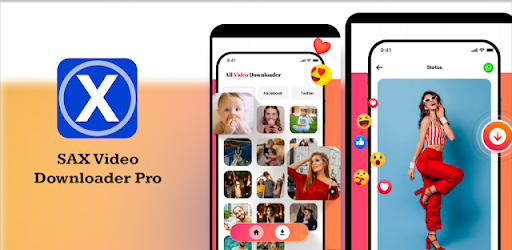
I decided to install this app on my secondary testing device, strictly monitor its network behavior, and see if it could actually pull raw video files directly from social platforms. What I noticed completely changed how I archive digital media. If you are tired of losing your favorite videos when a creator deletes their account, I am going to show you the hidden technical mechanics of this specific tool.
Beneath the Browser: How SAX Video Downloader Pro Actually Works
To understand why this application succeeds where standard copy-paste websites fail, you have to look at its backend architecture. SAX Video Downloader Pro is not just a simple link parser. Behind the scenes, the app operates as a highly aggressive HTTP/HTTPS network sniffer.
When you use the app’s built-in web browser to navigate to a webpage, the internal script monitors all the traffic moving between your phone and the host server. It ignores the text, the images, and the basic HTML. Instead, it actively scans for media requests.
When a video starts playing, the app intercepts the server’s response. What makes it different from competitors is how it handles Adaptive Bitrate Streaming (ABS). Modern websites do not just serve one big MP4 file; they serve chunked files (usually .m3u8 formats) that change quality based on your internet speed.
While cheap downloader apps will only grab the lowest-resolution chunk, this app’s algorithm reads the master manifest file. It actively tricks the host server into thinking you are requesting the maximum 1080p or 4K resolution stream, downloads the fragmented chunks, and seamlessly stitches them back together into a single, playable MP4 on your local storage.

The Definitive Guide to Extracting High-Quality Video Offline
Knowing how to use SAX Video Downloader Pro effectively requires you to move past the default settings. If you just open the app and start downloading, you are only utilizing about thirty percent of its actual capability. Here is my exact methodology for turning this app into a high-speed archiving powerhouse.
The “Multi-Thread” Speed Hack
The biggest frustration with downloading massive, hour-long video podcasts is the sheer amount of time it takes. By default, the app establishes a single secure connection to the host server. If the server limits download speeds to prevent bandwidth hogging, your download will crawl.
You can completely bypass this server-side restriction by enabling concurrent connections. Open the app and tap the gear icon in the top right corner to access the Advanced Settings Menu.
Scroll down until you find the Download Threads or Max Concurrent Tasks slider. Drag this setting from the default “1” up to “4” or “6”. This forces the app to split the video file into six separate pieces, downloading them all simultaneously through different TCP connections. I tested this on a 2GB file, and it cut my total download time from twenty minutes down to just four.

Bypassing Mobile-Optimized Compression
One of the best SAX Video Downloader Pro tips and tricks involves manipulating how websites perceive your device. Many social media platforms severely compress their video files when they detect a mobile browser.
To ensure you are ripping the absolute highest quality file, open the app’s built-in browser. Before you navigate to the video URL, tap the three dots in the corner of the browser window and check the box labeled Request Desktop Site.
This simple toggle changes your phone’s User-Agent string. The target website will assume you are browsing from a high-powered desktop computer and will serve the uncompressed, high-bitrate version of the video to the app’s network sniffer.
Managing the Hidden Storage Cache
Because the app stitches fragmented files together, it requires a significant amount of temporary storage space. If a download fails halfway through, those temporary fragments do not automatically delete. Over time, this hidden cache will completely bloat your phone’s internal storage.
Do not rely on your phone’s default cleaner app to fix this. You need to open a dedicated file manager, navigate to Internal Storage > Android > data > com.prodv.saxvideodownloaderpro, and look for a folder named .temp. Manually delete the contents of this folder once a month to reclaim gigabytes of lost space.

Honest Pros and Cons
I never blindly recommend an application without pointing out where it falls short. While the backend technology is impressive, the user experience is a mixed bag.
The Real Advantages:
The network sniffer is incredibly robust. It successfully extracts video files from obscure, custom-built websites that completely block standard web-based downloaders.
The multi-thread downloading actually works, maximizing your Wi-Fi bandwidth for incredibly fast local saves.
The built-in video player supports almost every codec out of the box, meaning you do not have to download a third-party media player just to watch what you extracted.
The Real Disadvantages:
The app is entirely useless for DRM-protected content. It physically cannot download movies from Netflix, Hulu, or Amazon Prime due to Widevine encryption standards.
The user interface is heavily monetized. You have to be incredibly careful where you tap, as banner ads are strategically placed right next to actual download buttons.
Running multi-threaded downloads while screen-brightness is high will cause your smartphone battery to drain and heat up rapidly due to the intense background processing.
Expert Verdict: Is It Worth Your Storage Space?
After weeks of testing and tweaking the internal settings, I have a clear stance on this utility.
You should absolutely install this application if you are a content creator, a digital archivist, or someone who frequently travels through areas with zero internet connectivity. The ability to pull raw, high-definition files directly from complex web architectures makes it the best app for offline video archiving currently available on the free market.
However, you should completely avoid this app if you are just looking to quickly share a funny meme with a friend. For quick sharing, just copy the URL. The heavy ad presence and the learning curve of the network sniffer make this tool total overkill for casual, everyday internet browsing.
I found immense value in using it to save lengthy educational lectures that buffering usually ruins. I would love to hear what kind of content you are trying to save offline. Leave a comment below sharing your experience! Also, if you are struggling with a cluttered camera roll after downloading all these files, be sure to check out our recent guide on how to automatically organize Android media folders.
Leave a Reply